 SpaceSharp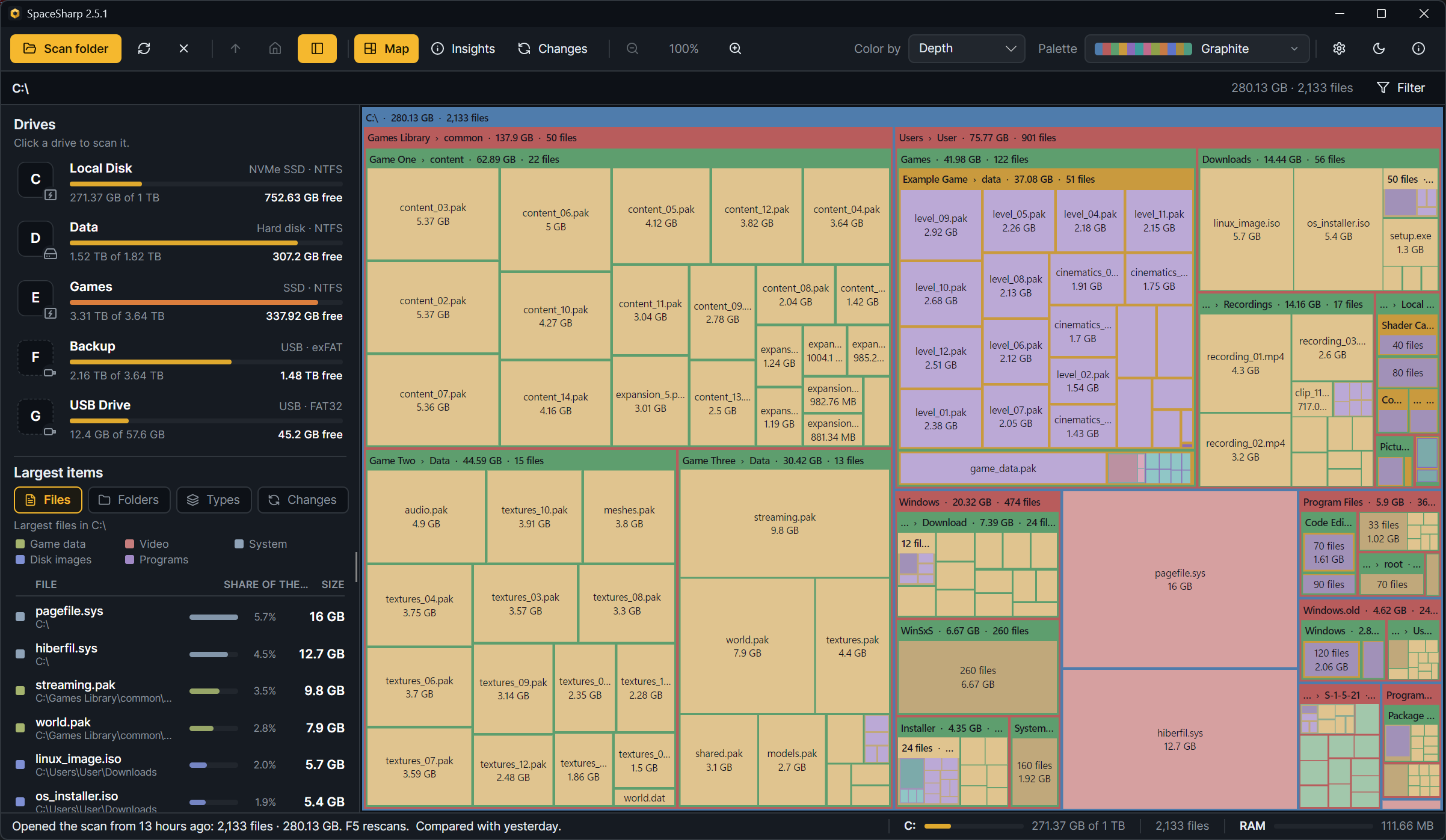
SpaceSharp is a free, open source disk space analyzer. It scans a drive or a folder and draws it as a zoomable treemap: folders are frames, files are boxes sized by the space they take. These pages are the long version of the README: every screen, every setting, every shortcut, and the answers to the questions that come up.
Download the latest release · Website · Changelog · Report a bug
Using SpaceSharp
- Getting started: install, the first scan, the administrator prompt
- Reading the map: what the frames, boxes, colors and shading mean
- Navigating: zoom, pan, the path row, the side panel
- The filter: plain words, the drawer, quick filters, Select matches
- Insights: the numbers behind the map, row by row, and Safe to clear
- Duplicates and empty folders: files kept twice, folders with nothing in them
- Changes: what grew, shrank, appeared and disappeared since the last scan
- Inspect: one item in depth
- Cleaning up: the Recycle Bin rule, and deleting what Explorer cannot
- Saved scans and the start screen
- Settings reference: every setting, one line each
- Palettes and looks: the 24 palettes, the picker, themes and looks
- Custom palettes: the palette editor and the JSON format
- Keyboard shortcuts
- Command line
- Languages
- Achievements
Questions and problems
For contributors
New in 2.6
- Insights rebuilt as one column of rows that open one at a time, with eight new rows: games, media, developer leftovers, Downloads, hard links, small and empty, deep and long, duplicates (Insights).
- A duplicate finder and an empty folder list, both deleting to the Recycle Bin (Duplicates and empty folders).
- Delete permanently for the folders Explorer crashes on (Cleaning up).
- Achievements, twenty-one of them (Achievements).
- A compare that no longer invents change between two scans a minute apart, a start screen that says what to do first, drive tiles tinted by kind, hard links counted once by default, 987 file types. The changelog has all of it.